Printer Test Image
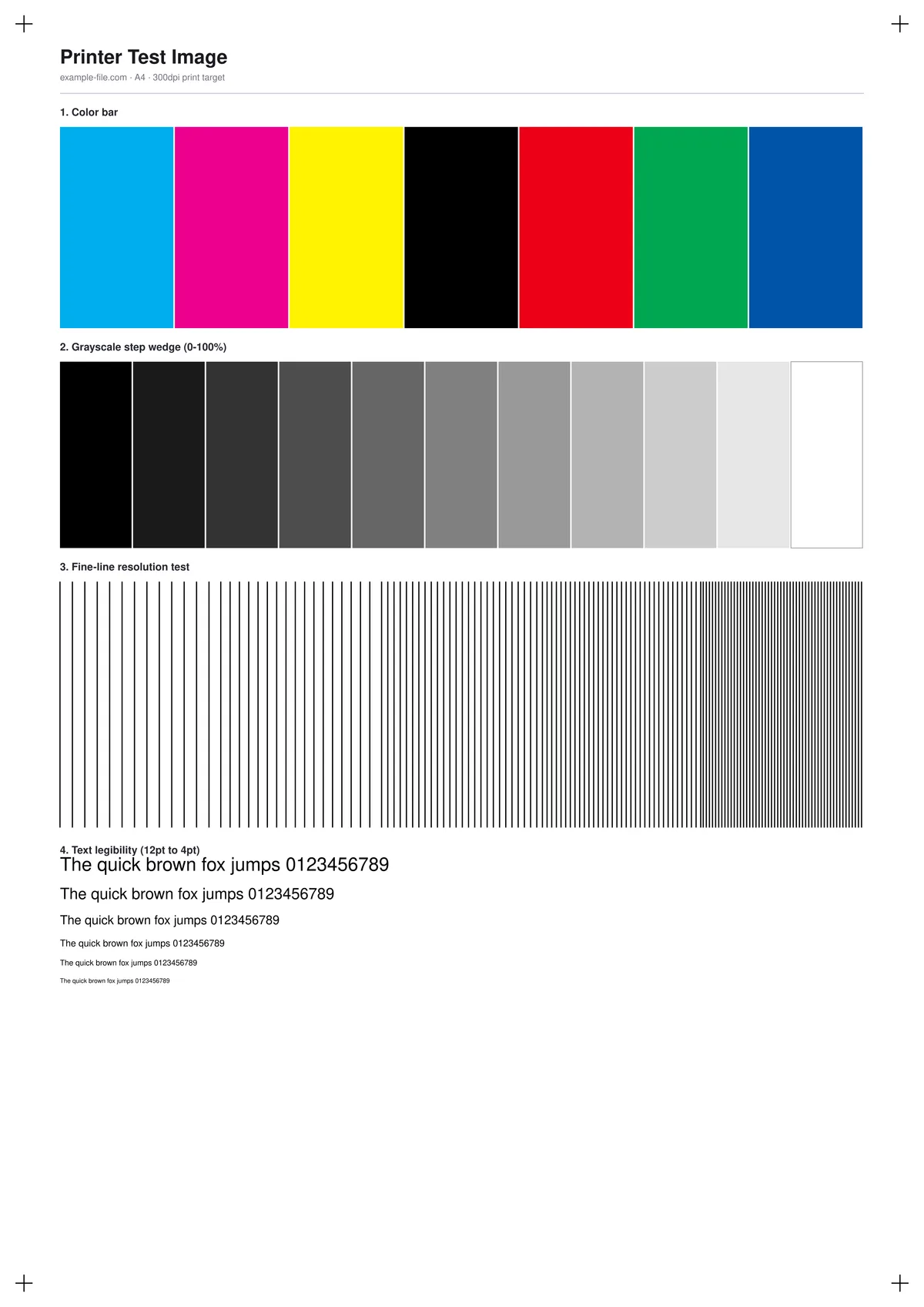
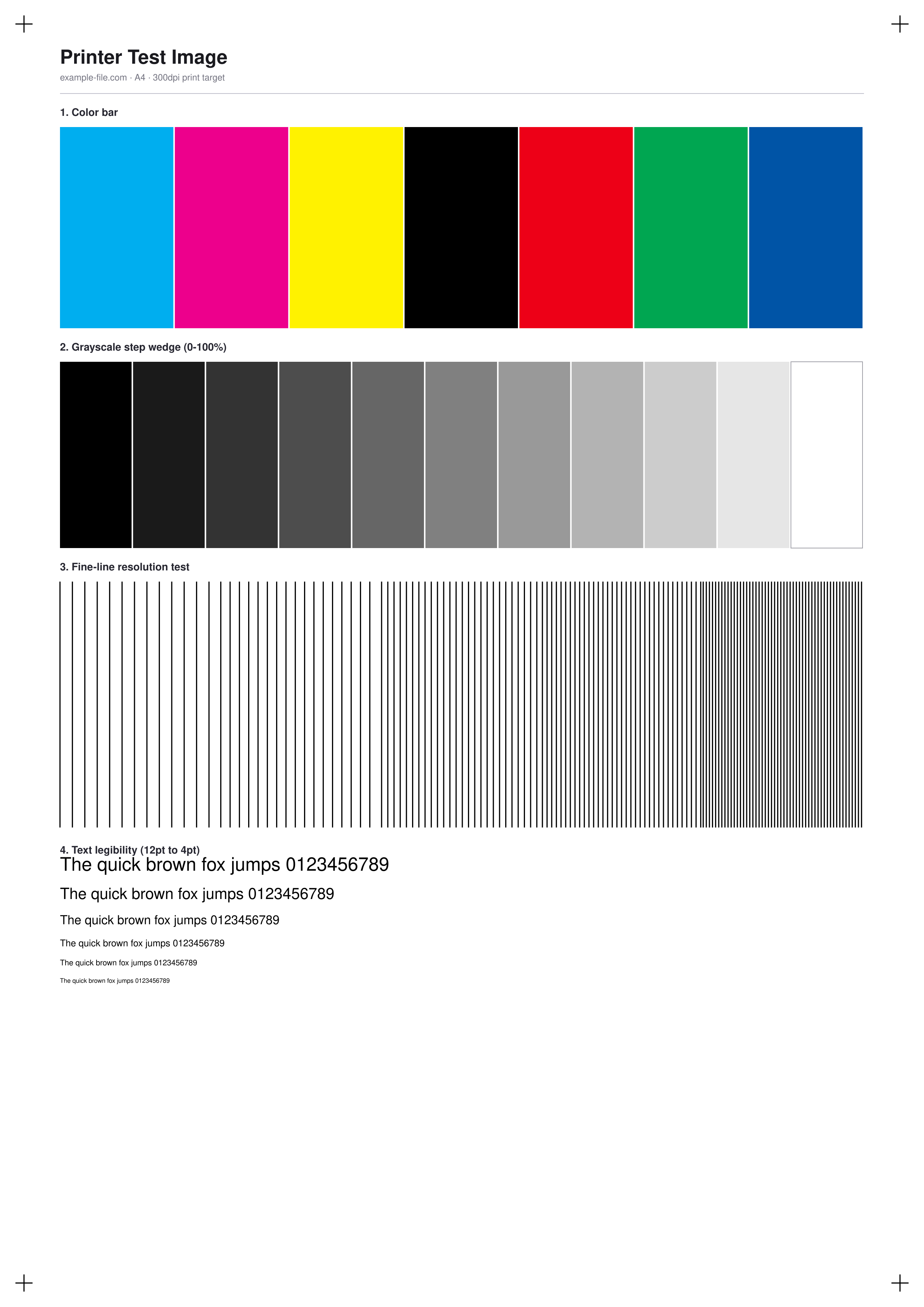
A single all-in-one test sheet for checking a printer's color, grayscale, and detail reproduction in one pass: a 7-swatch color bar, an 11-step grayscale wedge from black to white, a fine-line block at five line spacings, and a text-legibility ladder from 12pt down to 4pt, plus corner registration marks so you can check alignment after trimming.
What these files actually are
Every file below is a real PDF or PNG generated with pdf-lib and Sharp - actual vector shapes and rasterized graphics, not a blank placeholder with a fake extension. The PDF pages are set to true A4 and US Letter dimensions so printing at 100% scale reproduces the chart at its intended size.
-
Downloadprinter-test-sheet-a4.pdfPDF · 2.7 KB VirusTotal report
-
Downloadprinter-test-sheet-letter.pdfPDF · 2.6 KB VirusTotal report
-
Downloadprinter-test-sheet.pngPNG · 244 KB VirusTotal report
Are these files safe to download?
Every sample file is generated by us — no executable code, no macros. Files are served over HTTPS from our CDN, each with a SHA-256 checksum so you can verify your download and a link to an independent VirusTotal scan report.
Check this site independently:
How to print this test sheet
- Print at 100% scale (sometimes labeled "Actual size") - never "Fit to page", which stretches the chart and throws off the grayscale and line spacing.
- Turn off any "enhance photo" or automatic color correction in the print dialog so you're seeing the printer's raw output, not a post-processed version.
- Use plain paper for a general check; switch to photo or matte paper only when you're specifically testing a photo printer, since paper stock changes ink absorption and perceived contrast.
- Check the result under neutral daylight or a daylight-balanced lamp - warm indoor bulbs shift how the grayscale and color bar look.
- Compare corner to corner: uneven ink density, banding in the grayscale wedge, or blurred fine lines on one side usually point to a specific hardware issue (nozzle, drum, or feed roller) rather than a settings problem.
Common use cases
New printer setup check
Run one sheet right after unboxing or installing a printer to confirm color, grayscale, and fine detail all print correctly before you rely on it.
Cartridge or toner replacement test
Print the sheet after swapping ink or toner to confirm the new cartridge is seated correctly and producing even color and density.
Print driver or color profile troubleshooting
Isolate whether a color-cast or banding problem is coming from the printer hardware or from a driver/ICC profile setting, by printing the same file across different settings.
Comparing printers before a purchase
Print the identical sheet on two or more printers in a shop or office to compare color accuracy, grayscale smoothness, and line sharpness side by side.
Frequently asked questions
- Is this an actual printable file, or just a placeholder with the right extension?
- It's a real file. The PDF is built with pdf-lib as true vector shapes and text, and the PNG is rasterized from hand-authored SVG at 300dpi - both open and print exactly as shown in the preview.
- Why does the printed color look slightly different from what I see on screen?
- Your screen displays color as RGB light, while a printer mixes CMYK ink on paper - the two color spaces don't cover exactly the same range, so some shift is normal and doesn't necessarily mean the printer is miscalibrated.
- Should I download the A4 or the US Letter version?
- A4 is standard in most of the world outside North America; US Letter is standard in the United States, Canada, and a few other countries. Either PDF will print at 100% scale on its matching paper size.
- What's the difference between the PDF and the PNG?
- The PDF is built for printing at an exact physical size (A4 or Letter). The PNG is a 300dpi raster image of the same layout, useful if your app or workflow only accepts image files rather than PDFs.
More printer test images
- Printer Alignment Test Page — Free Printable PDF (A4)
- Color Printer Test Page — Free RGB Color Bar & Gradient (PDF/PNG)
- CMYK Printer Test Chart — Free Ink Patch Chart (PDF/TIFF)
- Grayscale Printer Test Image — Free Gray Wedge (PDF/PNG/TIFF)
- Inkjet Printer Test Image — Free Nozzle Check Pattern (PDF/PNG)
- Laser Printer Test Image — Free Halftone & Toner Test (PDF/PNG)
- Photo Printer Test Image — Free Color-Reference Scene (JPG/TIFF)
- RGB vs CMYK Test Image — See Real Color Conversion (PNG/TIFF)
- Print Resolution Test Image — 72/150/300/600 DPI Samples (PNG/PDF)
- Printer Sharpness Test Image — Free Fine-Detail Chart (PDF/PNG)