Print Head Test Image
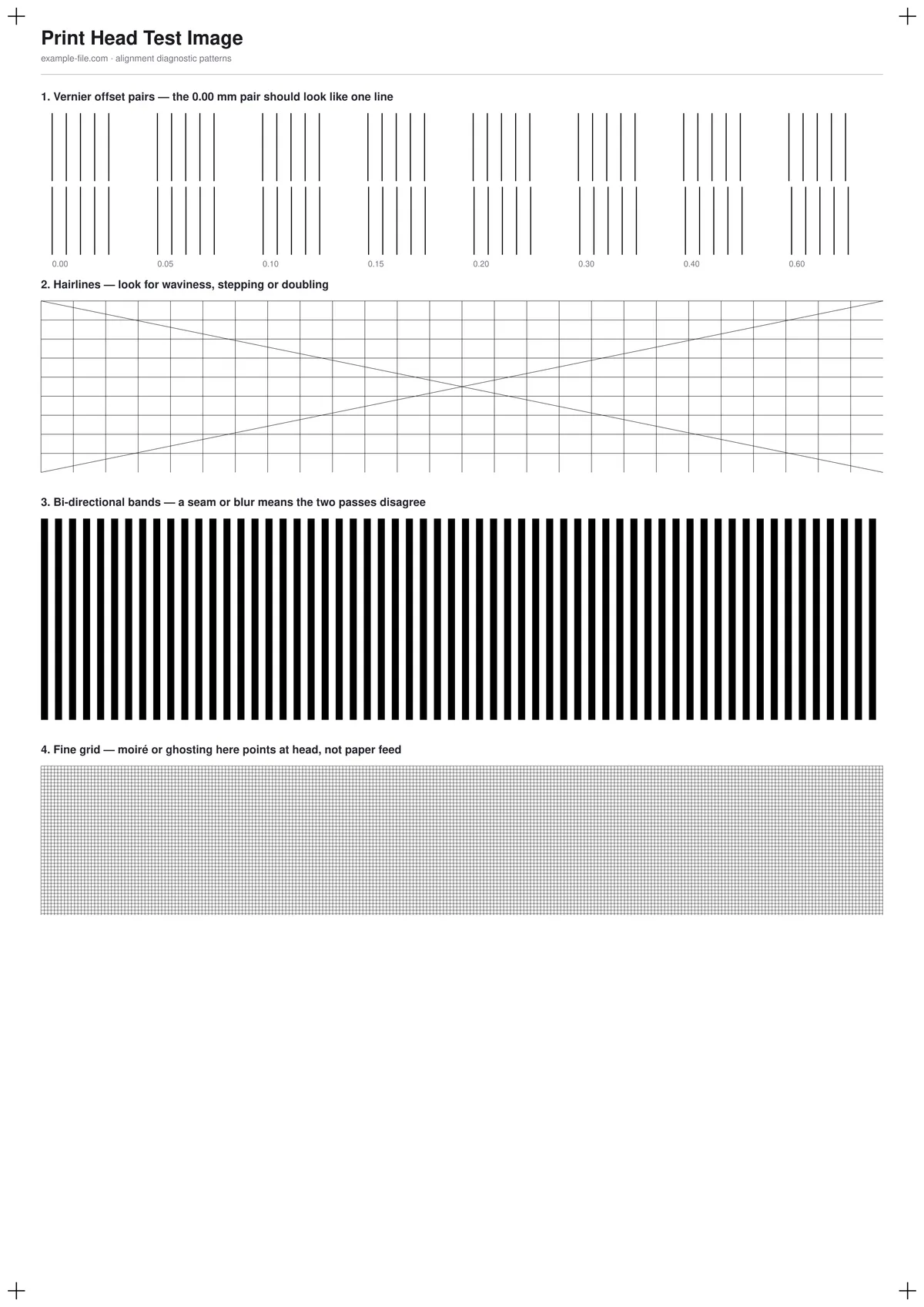
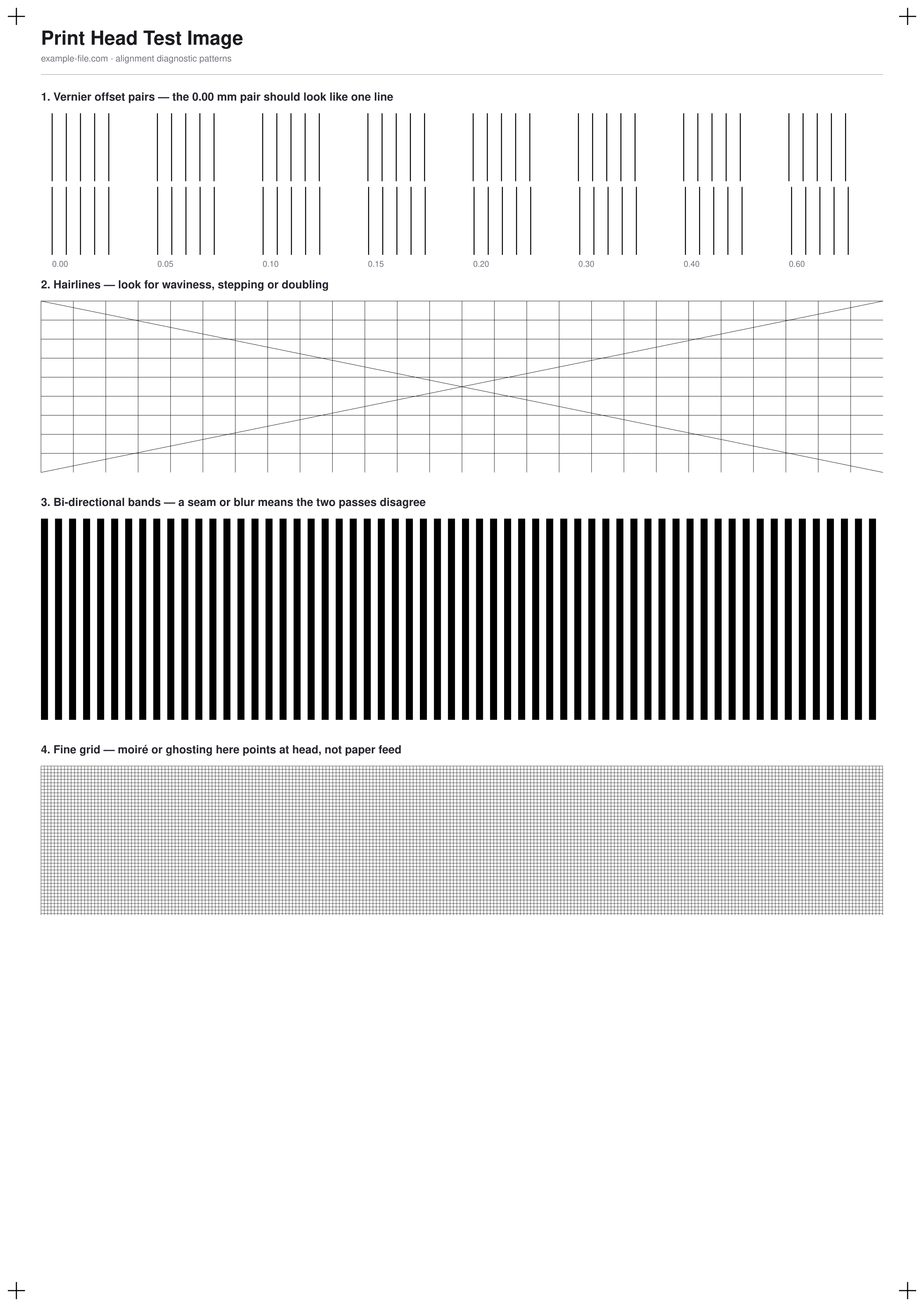
Four patterns designed to make head misalignment visible: vernier line pairs at known offsets from 0 to 0.6mm, hairlines running vertically, horizontally and diagonally, dense bi-directional bands, and a fine grid. If your head is out, one or more of these will show doubling, waviness, a seam or ghosting — and which one fails tells you roughly where the problem is.
What these files actually are
This sheet diagnoses; it does not calibrate, and it would be dishonest to imply otherwise. The "pick the straightest number" ladders your printer prints from its own utility work because the printer lays each row down with deliberately different head timing — a static PDF has no way to ask it to do that. So this file does the half a downloadable file honestly can: it gives you patterns whose defects only appear when the head is misaligned. Run your printer's own alignment routine for the correction, then reprint this sheet to confirm it actually worked.
-
Downloadprint-head-alignment-a4.pdfPDF · 5.5 KB VirusTotal report
-
Downloadprint-head-alignment.pngPNG · 229 KB VirusTotal report
Are these files safe to download?
Every sample file is generated by us — no executable code, no macros. Files are served over HTTPS from our CDN, each with a SHA-256 checksum so you can verify your download and a link to an independent VirusTotal scan report.
Check this site independently:
How to print this test sheet
- Print at 100% scale with the highest quality setting available, on plain paper, with all colour correction and draft modes off - a draft pass will produce artefacts of its own and muddy the result.
- Start with the vernier pairs. The 0.00 mm pair is drawn as two line groups at literally the same position, so it should print as one clean line. If it looks doubled, and some other offset looks solid instead, that offset is roughly your head's error.
- Check the hairlines next. Straight lines that come out wavy, stepped, or doubled point at alignment; lines that are straight but blurry point at paper feed or a dirty head instead.
- Look at the bi-directional bands under a loupe or with your phone's camera zoomed in. A visible seam or blur means the forward and reverse passes are landing in different places - that is the classic bi-directional timing error.
- If everything above is clean but the fine grid shows moiré or ghosting, the head is fine and the problem is more likely feed-related.
- Once you've identified an issue, run your printer's built-in head alignment utility (usually in the driver, the printer's on-screen menu, or the maintenance app), then print this sheet again and compare.
Common use cases
Confirming an alignment actually worked
Printer utilities report success whether or not anything improved. Printing the same sheet before and after gives you evidence rather than a dialog box.
Telling a head problem from a feed problem
Blurry-but-straight and wavy-but-sharp are different faults with different fixes. Having both hairlines and a grid on one sheet separates them.
Checking a printer before you buy it used
One sheet reveals whether a second-hand inkjet's head is worn or misaligned, which is usually the expensive part.
Documenting a fault for support
A printed diagnostic sheet with visible doubling is far more persuasive to a manufacturer's support line than a description of the problem.
Frequently asked questions
- Why doesn't this sheet let me pick a correction number like my printer's utility does?
- Because a downloadable file physically can't produce those. Those ladders work by printing each row with different head timing - the printer deliberately varies its own behaviour row by row. A PDF is a fixed description of marks on a page; it has no way to request that. Any downloadable file claiming to replace your printer's alignment routine is misleading you. This sheet shows you whether there's a problem; your printer's utility fixes it.
- How is this different from the inkjet printer test image?
- That page is about nozzles - whether ink is coming out at all, and whether any channels are blocked. This one is about aim: whether the ink that comes out lands where it should. A clogged nozzle shows as missing segments; a misaligned head shows as doubling and waviness. They're separate faults and worth checking separately.
- The 0.00 mm vernier pair looks doubled. Is my printer broken?
- Not necessarily broken - most likely just out of alignment, which is normal after transport, a cartridge change, or simply time. Run the printer's alignment utility first. If the doubling survives a successful alignment, then the head may be worn or damaged.
- Does this work on a laser printer?
- Partly. Lasers don't have a scanning head, so the vernier and bi-directional patterns are less meaningful. The hairlines and fine grid are still useful for spotting registration and drum issues. For a laser, the halftone-based laser printer test image is a better fit.
More printer test images
- Printer Alignment Test Page — Free Printable PDF (A4)
- Inkjet Printer Test Image — Free Nozzle Check Pattern (PDF/PNG)
- Printer Test Image — Free Printable Test Page (PDF/PNG)
- Printer Sharpness Test Image — Free Fine-Detail Chart (PDF/PNG)
- Ink Test Page — Free Printable Ink Coverage Test (PDF/PNG)
- Laser Printer Test Image — Free Halftone & Toner Test (PDF/PNG)