Large Format Print Test Image
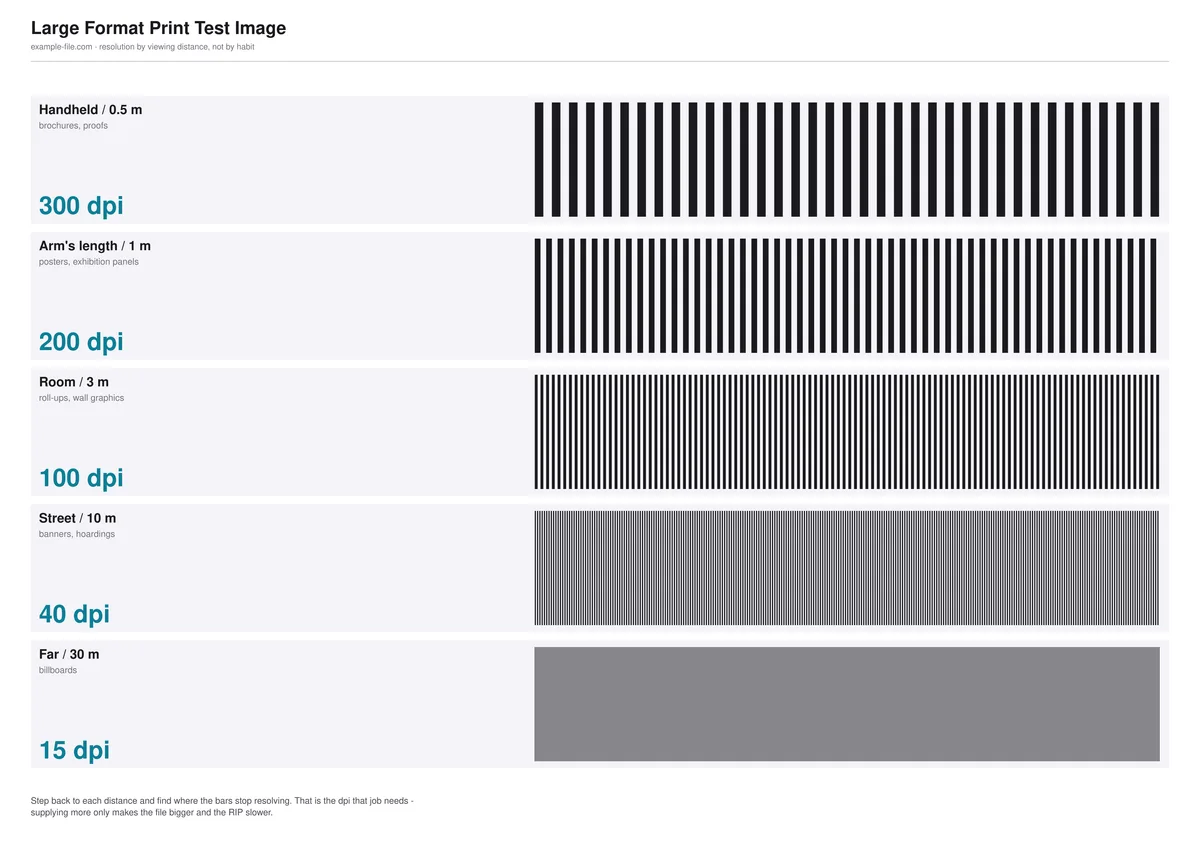
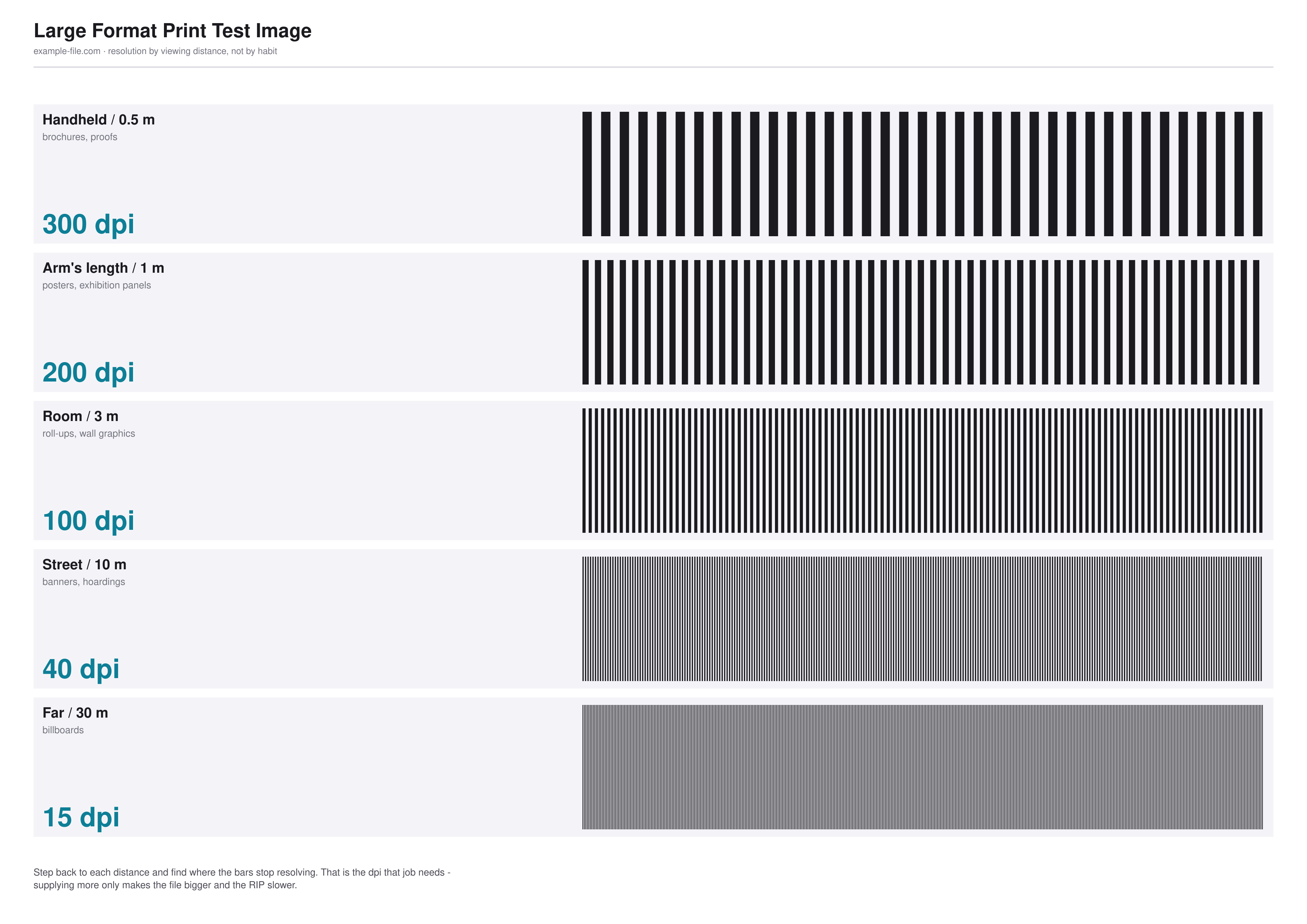
Resolution is meaningless without a viewing distance, so this sheet is organised by distance rather than by DPI habit. Five rows — handheld at 0.5m, arm's length at 1m, room at 3m, street at 10m and far at 30m — each showing the DPI that distance actually justifies and a line-pair block printed at that density. Step back to each distance, find where the bars stop resolving, and you have the answer for your job.
What these files actually are
The DPI figures here are the widely used industry rules of thumb, not laws of physics: human acuity varies, and a client standing closer than the brief said will always find the limit. Treat them as a defensible starting point rather than a guarantee. The line-pair blocks are rendered at the stated densities so the comparison is genuine, but note that this sheet is A4 - it demonstrates the principle at a size you can actually print, rather than being a full-size banner proof. For a real job, print a section of the actual artwork at final size.
-
Downloadlarge-format-test.pngPNG · 299 KB VirusTotal report
-
Downloadlarge-format-test-a4-landscape.pdfPDF · 192 KB VirusTotal report
Are these files safe to download?
Every sample file is generated by us — no executable code, no macros. Files are served over HTTPS from our CDN, each with a SHA-256 checksum so you can verify your download and a link to an independent VirusTotal scan report.
Check this site independently:
How to print this test sheet
- Print the A4 landscape PDF at 100% scale, then physically walk backwards. At each labelled distance, look at that row's line-pair block and check whether the bars are still distinct.
- The row where the bars merge into flat grey at its own stated distance is the point where more resolution stops buying you anything. That's the number to supply for that viewing distance.
- Apply the result to your actual job: a banner read from ten metres genuinely does not need 300dpi, and supplying it only makes the file enormous and the RIP slow.
- When in doubt about the brief, design for the closest distance anyone will realistically stand - which for a trade show booth is usually much closer than the brief claims.
- For a real large-format job, use this sheet to pick a target density, then print one section of the real artwork at full size to confirm it before committing to the whole run.
- Remember the substrate matters too: mesh, canvas and fabric all resolve less detail than smooth vinyl, so drop the target accordingly.
Common use cases
Choosing a resolution for a banner
Settle the 'is 150dpi enough?' question with a physical test at the actual viewing distance rather than by argument.
Pushing back on a 300dpi request
When a client insists on 300dpi for a billboard, a printed sheet showing that 15dpi resolves fine at 30m is more persuasive than an explanation.
Sizing files sensibly
Large-format files get unmanageable fast. Knowing the real target density keeps them workable without visible quality loss.
Briefing a photographer or designer
Agree the viewing distance up front, and the required resolution follows from it instead of being guessed.
Frequently asked questions
- How is this different from the print resolution test image?
- That page compares 72/150/300/600 dpi at a fixed physical size, viewed close up - it's about what DPI looks like. This one adds the variable that actually decides large-format jobs: how far away the viewer is. The same 40dpi that looks unusable in your hand is entirely adequate on a hoarding across the street.
- Are these DPI numbers exact?
- No, and treating them as exact is a mistake. They're the standard rules of thumb the trade uses - roughly halving the resolution as viewing distance doubles. Real acuity varies between people and lighting conditions, so use them as a starting point and verify with a real proof for anything expensive.
- Why is the test sheet only A4?
- Because you can print A4. A genuinely full-size banner proof isn't something you download - it's something you produce on the actual machine, on the actual substrate. This sheet teaches the principle and gives you a target; the final check has to happen at full size on the real material.
- Does substrate change the answer?
- Considerably. Mesh, canvas, textured fabric and backlit film all resolve less detail than smooth vinyl, so a density that looks fine here can disappoint on rough material. When in doubt, ask your printer what their substrate actually holds.
More printer test images
- Print Resolution Test Image — 72/150/300/600 DPI Samples (PNG/PDF)
- 300 DPI Sample Image — Free Download (4×6 and 8×10 in, JPG/PNG)
- Printer Sharpness Test Image — Free Fine-Detail Chart (PDF/PNG)
- Photo Printer Test Image — Free Color-Reference Scene (JPG/TIFF)
- Color Printer Test Page — Free RGB Color Bar & Gradient (PDF/PNG)