A4 Printer Test Image
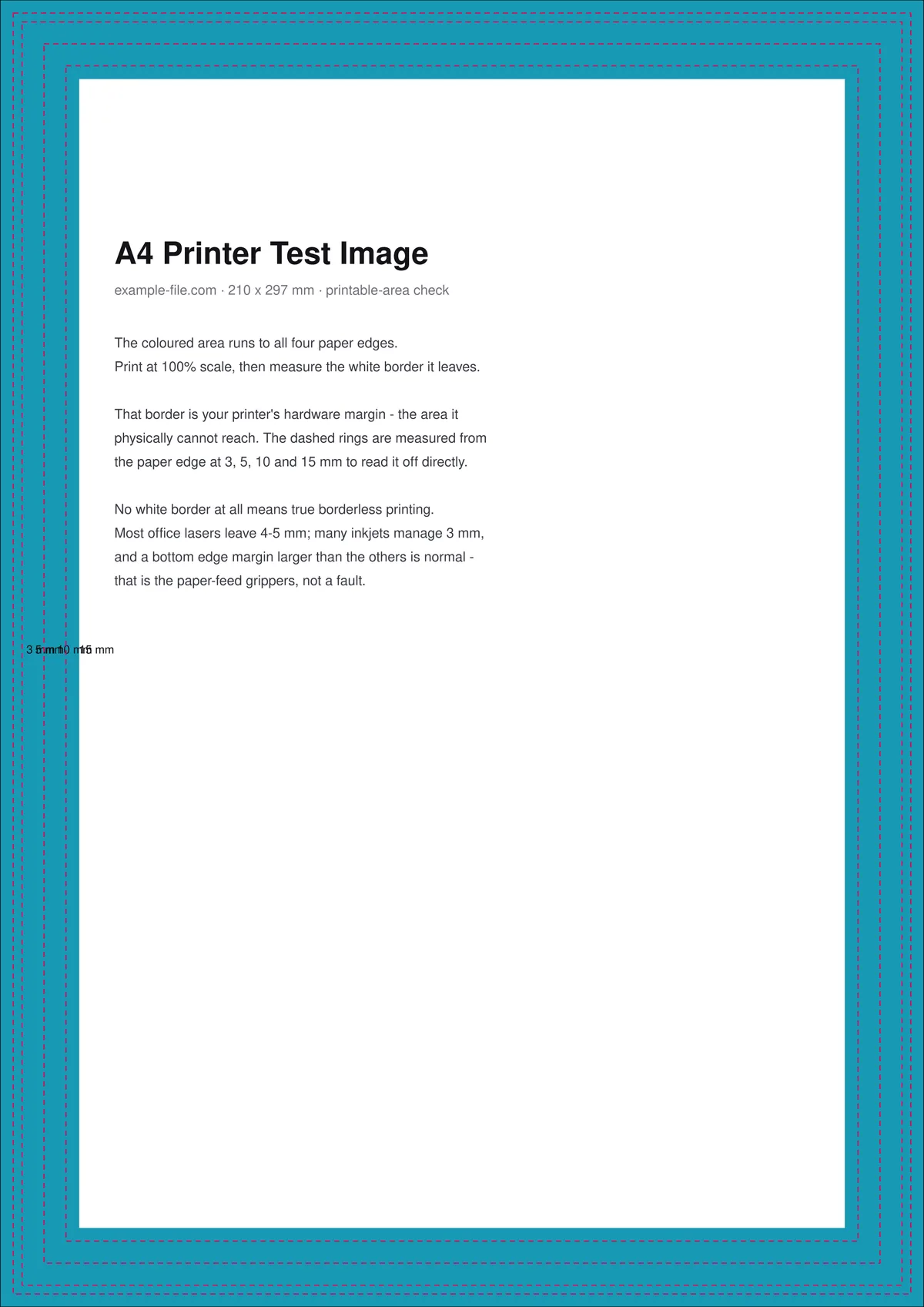
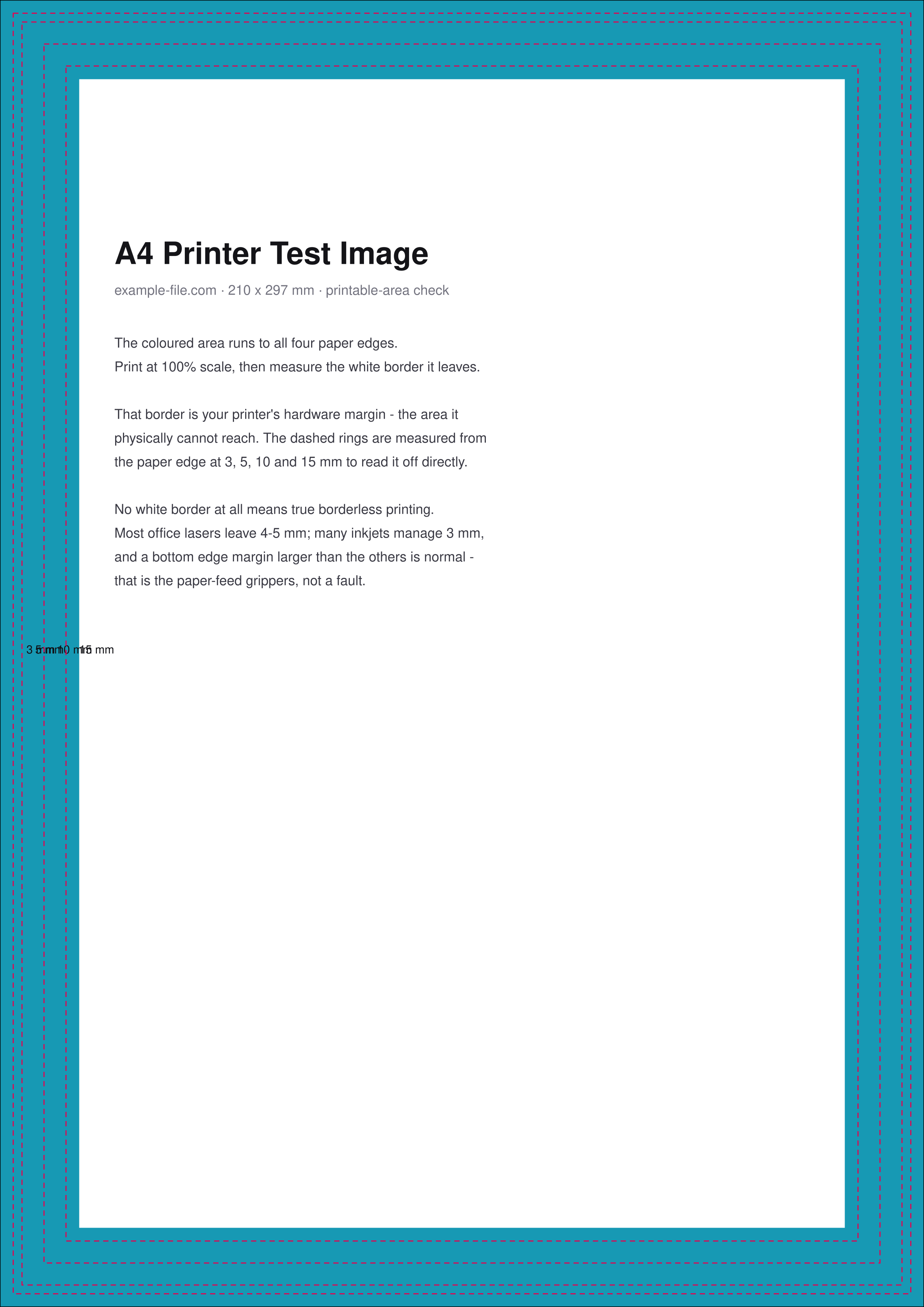
A free A4 printer test image to download and print, built to answer one specific question: how much of the paper can your printer actually reach? Colour runs to all four edges of a true 210 × 297 mm page, with dashed rings measured from the paper edge at 3, 5, 10 and 15 mm. Print the full sheet at 100% and the white border left behind is your printer's hardware margin — read straight off the rings, no ruler needed. Take the PDF if you are printing it, the PNG if you need the image itself.
What these files actually are
The PDF is a genuine A4 page (210 × 297 mm) with the artwork drawn in true DeviceCMYK and extending to the page boundary, so "borderless" is being asked of your printer rather than faked in the file. The rings are positioned by measurement from the page edge, not eyeballed. Note this is deliberately not a bleed file: there is no oversized media and no crop marks, because the thing under test here is the printer's own reach, not a trimming workflow.
-
Downloada4-printer-test-a4.pdfPDF · 2 KB VirusTotal report
-
Downloada4-printer-test.pngPNG · 308 KB VirusTotal report
Are these files safe to download?
Every sample file is generated by us — no executable code, no macros. Files are served over HTTPS from our CDN, each with a SHA-256 checksum so you can verify your download and a link to an independent VirusTotal scan report.
Check this site independently:
How to print this test sheet
- Print at 100% scale ("Actual size") on A4 paper. Do not use "Fit to page" or "Shrink oversized pages" - both will scale the sheet and every measurement on it becomes meaningless.
- If your printer has a borderless or edge-to-edge option, print the sheet twice: once with it on and once off. The difference between the two is exactly what that setting buys you.
- Measure the white border on each of the four edges, or just read which dashed ring is the first one fully printed. That distance is your printer's hardware margin.
- Compare the four edges against each other. A larger margin on one edge - usually the trailing one - is normal: that strip is where the feed rollers grip the paper, and it isn't a fault.
- If the colour reaches all four edges with no white at all, your printer genuinely does borderless on this stock.
- Repeat on any stock you care about. Heavier card often forces a larger margin than plain paper on the same printer.
Common use cases
Finding out if a printer is really borderless
Marketing says borderless; the paper tells the truth. One sheet settles it for your specific printer and stock combination.
Setting margins in a template
Measure once, then set your document margins to something you know the printer can reach, instead of guessing and reprinting.
Diagnosing clipped documents
If page numbers or footers keep vanishing, this sheet shows whether they're falling inside the printer's unreachable margin.
Comparing printers in an office
Run the identical sheet on each printer to find which one can handle an edge-to-edge job before you send the job to the wrong machine.
Frequently asked questions
- How is this different from the bleed test file?
- They test opposite ends of the same problem. This sheet is exactly A4 and asks what your printer can reach on a page of that size - it's about hardware margins. The bleed test file is deliberately larger than A4 (236 × 323 mm), carries crop marks and real TrimBox/BleedBox values, and is about a professional trimming workflow where a guillotine, not the printer, defines the edge. Use this one for your own printer; use the bleed file for a print shop.
- Why is the border bigger on one edge than the others?
- That's almost always the trailing edge, where the feed rollers have to hold the sheet. Most printers simply cannot put ink there. It's a mechanical constraint rather than a settings problem, and it's why many "borderless" printers are only borderless on three sides, or need to slightly overscale the image.
- My printer's borderless mode cut off part of the design. Why?
- Because many printers achieve borderless by quietly scaling the page up a few percent so the artwork overshoots the paper. You gain edge-to-edge colour and lose a couple of millimetres all round. That's exactly the trade this sheet lets you measure - print it borderless and check whether the 3 mm ring survived.
- Can I use this to check A4 paper size itself?
- Indirectly, yes. The page is a true 210 × 297 mm, so if you print at 100% scale and the artwork doesn't line up with the paper, either the scaling was wrong or the paper isn't actually A4 - US Letter is a common culprit, being shorter and wider.
- How do I print this test image at the correct A4 size?
- Load A4 paper and turn off every form of scaling. In Adobe Acrobat and Edge, set Page Sizing to "Actual size" rather than "Fit". On macOS Preview, choose Scale and type 100%, or untick "Scale to fit". In the Windows photo viewer, pick A4 as the paper size and turn off "Fit picture to frame". If any of those are left on, the sheet shrinks and the 3, 5, 10 and 15 mm rings no longer measure anything.
- Can I print this test image in black and white?
- Yes — choose Greyscale or Black ink only in the print dialog. The rings and the page edges still print, so you can measure the hardware margin exactly as described above. What you lose is any read on the colour channels, so for a colour or nozzle check use one of the colour printer test pages instead of this sheet.
- Do I need a 4K or Full HD version for a sharp A4 test print?
- No. Screen resolutions like Full HD or 4K describe a display, not a print — what matters on paper is the printer's own dpi and the fact that the file is already laid out at 210 × 297 mm. Download the PDF and print it at 100% scale and the sheet comes out at its intended size; resizing a screenshot or stretching an image to fill the page is what makes the measurements wrong.
More printer test images
- Printer Test Image — Free Printable Test Page (PDF/PNG)
- Bleed Test File — Free Print-Ready 3mm Bleed PDF (A4)
- Color Printer Test Page — Free RGB Color Bar & Gradient (PDF/PNG)
- Print Resolution Test Image — 72/150/300/600 DPI Samples (PNG/PDF)
- 300 DPI Sample Image — Free Download (4×6 and 8×10 in, JPG/PNG)