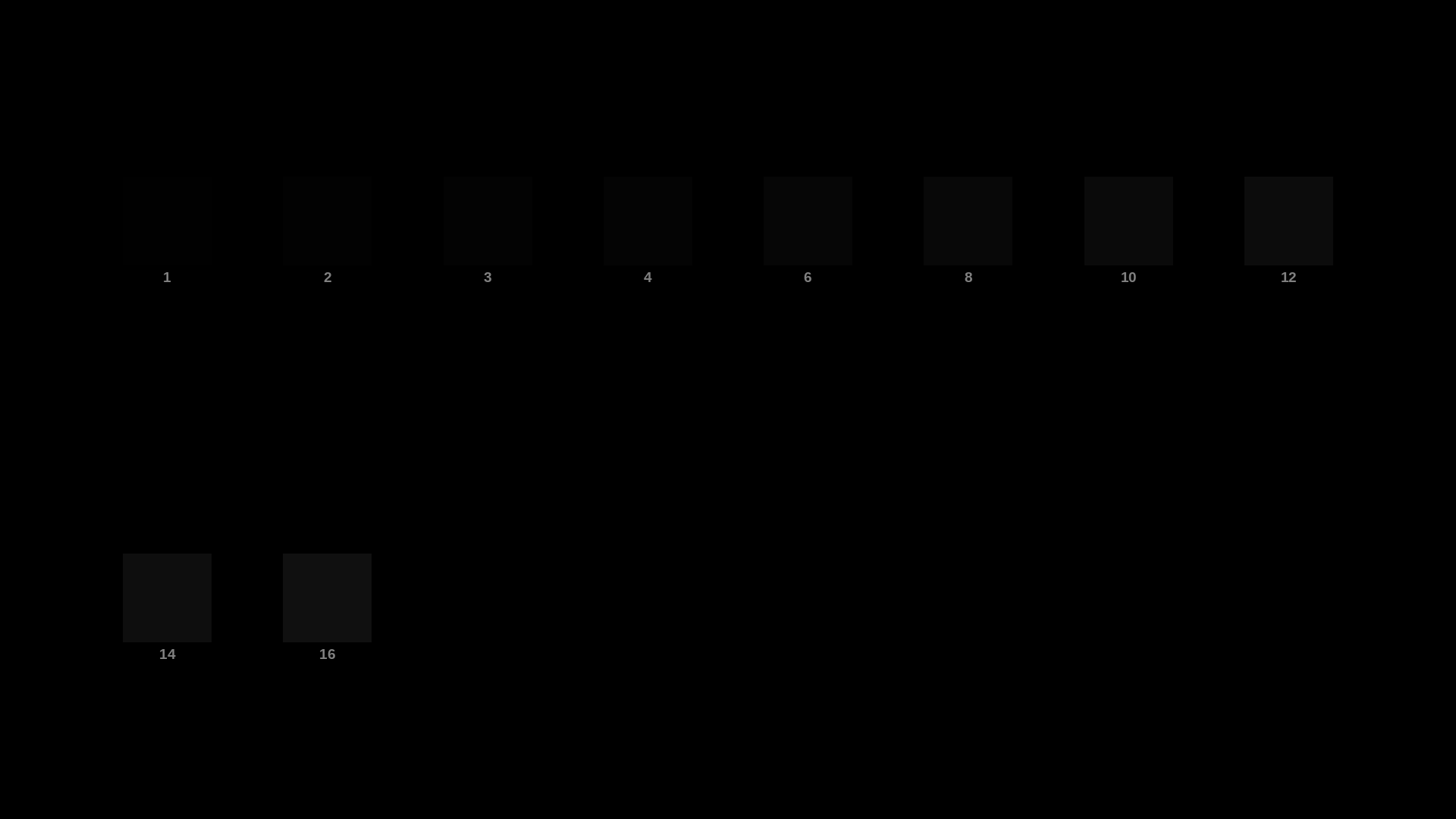
OLED Black Crush Test
The first steps above black are where OLED crushes detail - adjust brightness/gamma until steps 1-4 are just visible.
oled-black-crush-test.png
MP4 · 9.7 KB
Resolution: 1920x1080
Frame rate: 30fps
Duration: 2m 8s
Format: MP4 (H.264, silent)
Viewing condition: Dark room recommended
VirusTotal report
Are these files safe to download?
Every sample file is generated by us — no executable code, no macros. Files are served over HTTPS from our CDN, each with a SHA-256 checksum so you can verify your download and a link to an independent VirusTotal scan report.
Check this site independently:
Common use cases
Buying a gaming monitor
Compare VRR smoothness, ghosting and blooming before committing to a purchase.
Tuning VRR and overdrive together
Toggle G-SYNC/FreeSync and overdrive settings while this plays to find a combination without artifacts.
Frequently asked questions
- Do I need VRR enabled to test this?
- Enable G-SYNC/FreeSync (or your display's VRR mode) in your GPU and monitor settings first, then compare with it off.
- What am I looking for?
- Smooth, consistent motion with no stutter, tearing, or brightness flicker as the frame rate changes.